How many of you realize that you have more than 1 place where your messages sit in your Facebook? Well, at least I didn’t realize it until recently. Although I sent out few messages to other people, not my friends, and there is an option if I want to pay Facebook small amount of money to make my message sits in the other person’s Inbox rather than “Other” mailbox.
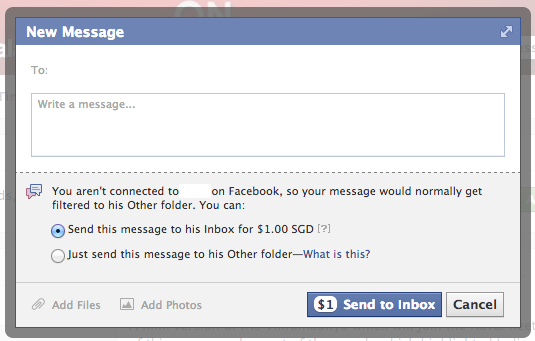
(if you read actually Facebook read the other party gender too)
I don’t think there is a need to pay your message, however I think the purpose behind it is for brand page. It’s another way Facebook to monetize their social site.
So, when we choose “Just send this message to his/her Other folder”, where will it go? If you go to your Message, on your top left corner under “Facebook” logo there are 2 links, Inbox and Other. Click on that Other link.
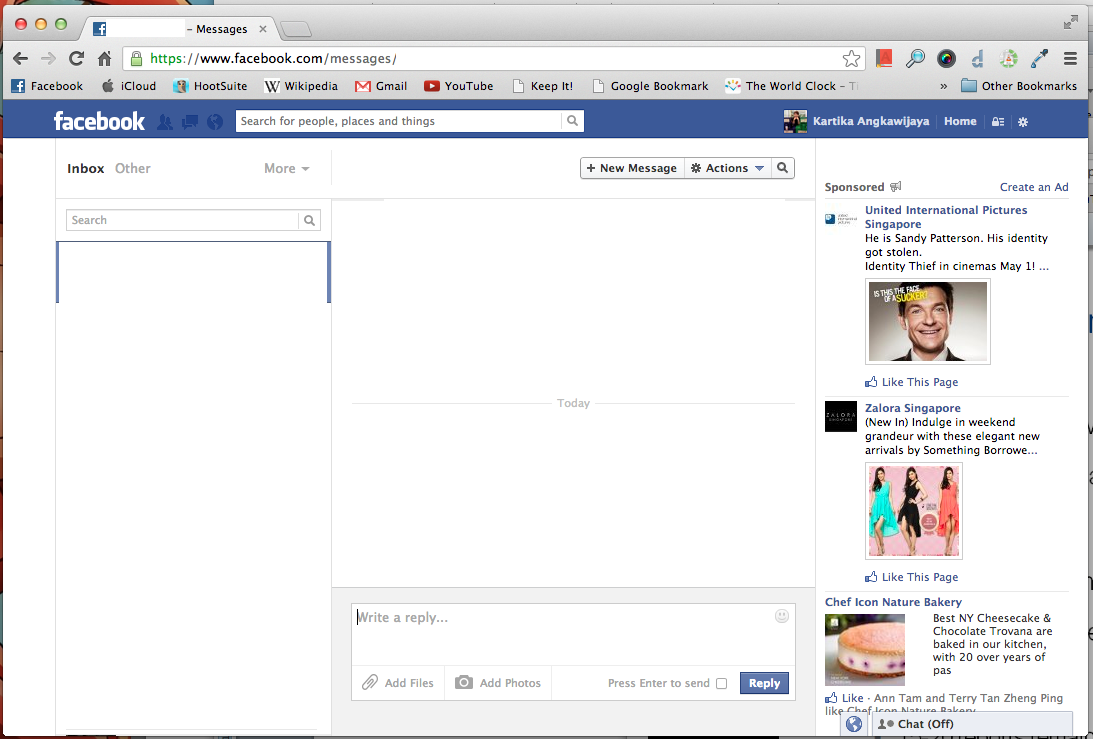
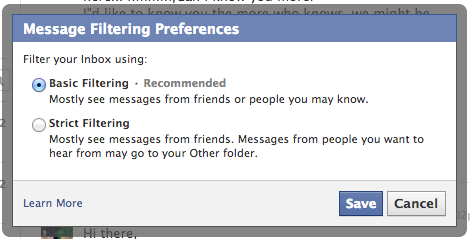
You’ll be able to set your mailbox behaviour by clicking “Edit Preferences”

I leave it to “Basic Filtering” because I’m the point of contact for some groups so there are possibilities for other people who are not my friend to contact me. To make myself more reachable, Basic Filtering should do.
So, don’t forget to check your Other mailbox, who knows there are some opportunities knocking at your door! 🙂